
LFCS Admin Exam preparation guide series, main page can be found here.
This post is part of the Operation of Running Systems from the domain competency list for the exam. The full list can be found in the link above paragraph or the Linux Foundation page here.
What are the different operating modes? Those are modes the Linux will boot up, an example will be the Graphical User Interface. This process is managed by a process called init, which is the first one to start when the computer (VM) boot up. Without it, our desktop or server will not be able to run.
When the computer starts systemd initialize the processes to run, as we mention init is the first to start and is the indirect or direct parent of the other processes. The common runlevels of our desktop/server are 0 and 6, where the first one is for System halt, and the second is a reboot. Another runlevel 5 is for multi-user graphical mode with the network, which is our desktop. We can boot as well to runlevel three, which is no graphical, multi-user with the network where we are login directly to the terminal. Runlevel 1 typically used for troubleshooting and recovery mode. The below table represents the difference between SysVinit (legacy) and Systemd, which run on most Linux operating systems.
| SysVinit | Systemd | |
| System halt | 0 | runlevel0.target poweroff.target |
| Single user mode | 1 | runlevel1.target rescue.target |
| Multi-user mode | 2 | runlevel2.target multi-user.target |
| Multi-user with network | 3 | runlevel3.target multi-user.target |
| Experimental | 4 | runlevel4.target multi-user.target |
| Multi-user, with network and graphical mode | 5 | runlevel5.target graphical.target |
| Reboot | 6 | runlevel6.target reboot.target |
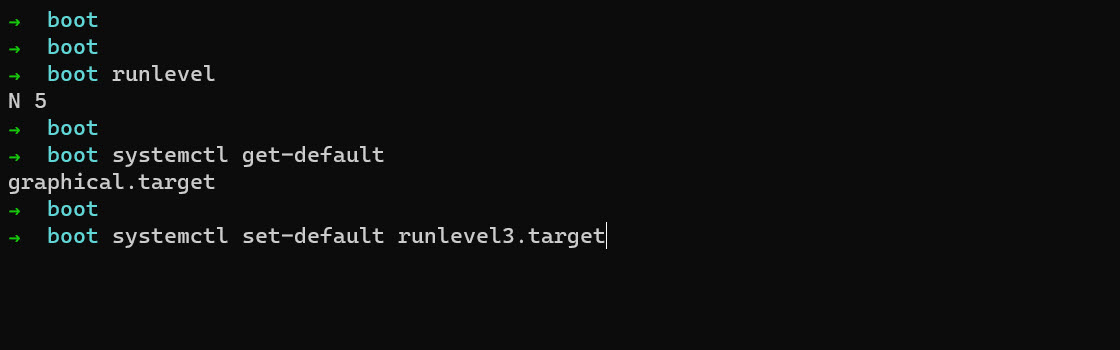
To check what runlevel we are currently running we use legacy runlevel command or systemctl get-default, we can change the mode by modifying the /etc/inittab file on older systems or by running systemctl set-default <target mode>
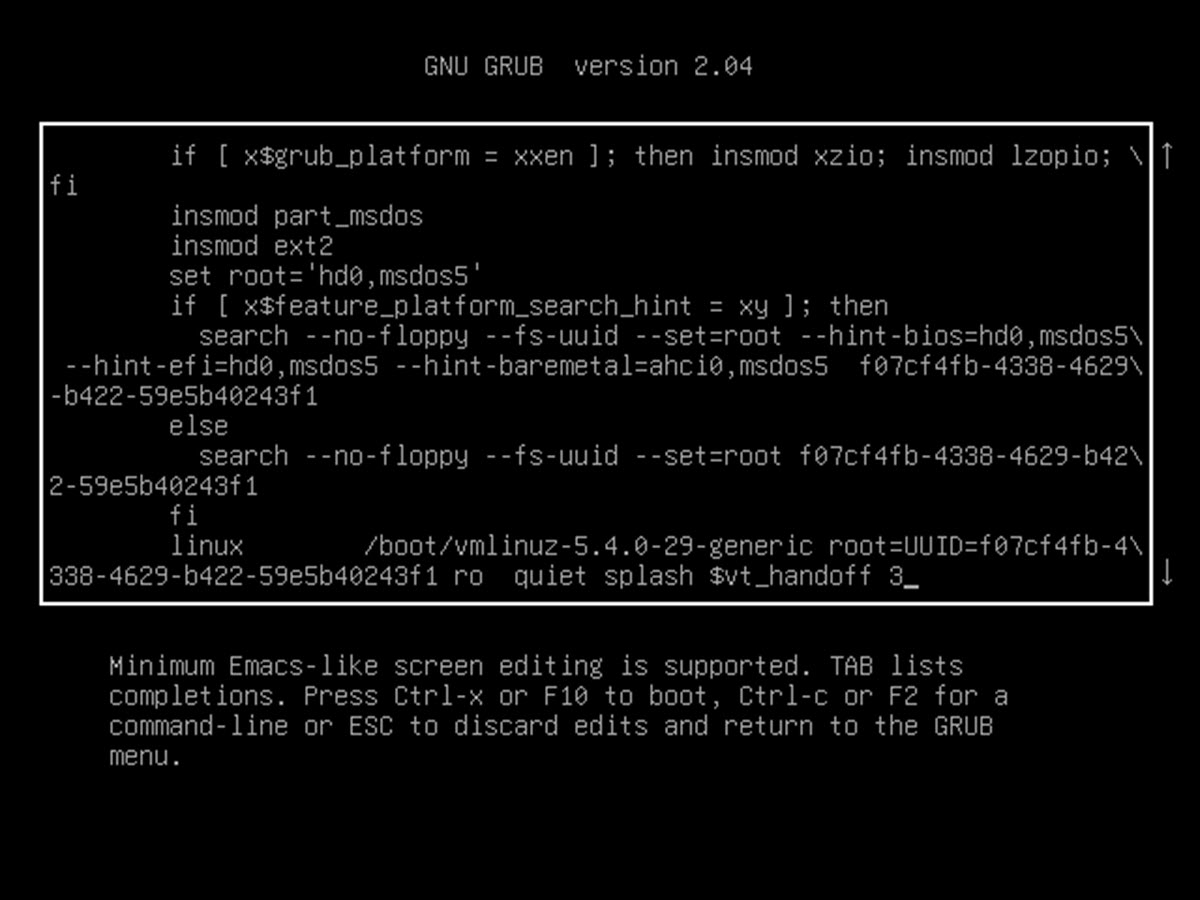
We can change the operating mode during the system boot-up. On the Ubuntu system, we need to press the shift key to enter the GRUB menu, where we select the entry for our system and press e. Next, we scroll down until line starting with linux, and at the end of this line, we add the runlevel number for example 3, and we press the F10 key to boot up. When we are done using the runlevel we set in the GRUB menu, we reboot the machine to boot into default one.
Thank you for reading, like always keep learning.
 Virtual Elementary